AI Companion
Ask questions about your branch, athletes, billing, and competitions in plain language — the AI Companion guides you through any task without you needing to know where everything is.
- 1
What is the AI Companion?
The AI Companion is a built-in assistant that knows your branch data — athletes, memberships, billing, competitions — and can answer questions, explain workflows, and guide you through tasks in plain language.
Open it any time via AI Companion in the left sidebar.
Just type your question. The companion reads your branch context and responds with specific, accurate answers — not generic help articles.
Example questions to get started:
- "How do I set up SEPA payments?"
- "Which athletes are on a trial membership?"
- "What does the membership plan billing cycle look like?"
- "How do I add a coach to an athlete?"
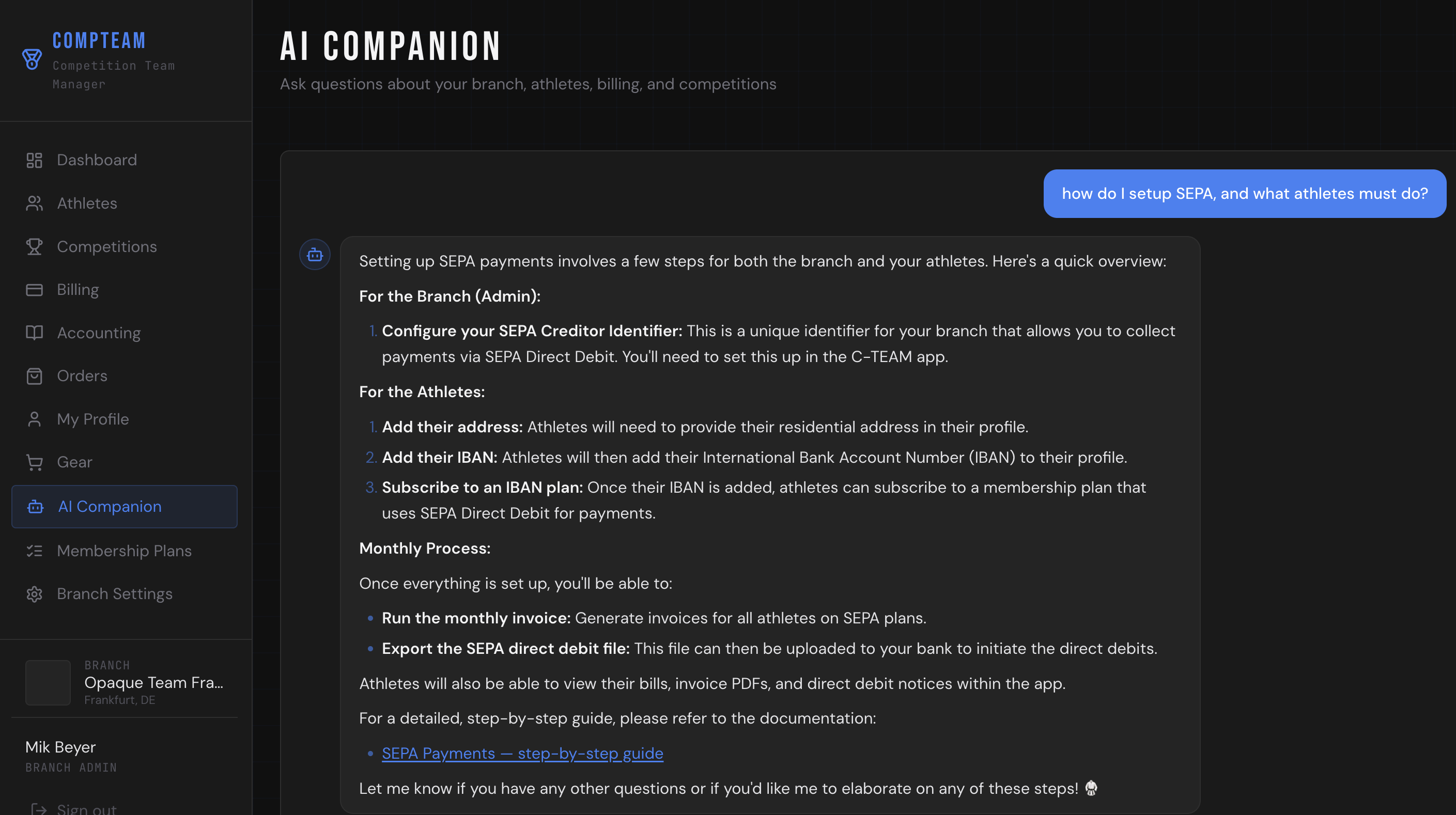
AI Companion — answering a question about SEPA setup - 2
Ask anything about your branch
The AI Companion is aware of your branch configuration and can help with all areas of Compteam:
Area Example questions Athletes "Who hasn't logged in for more than 30 days?" Memberships "What happens when a trial expires?" SEPA billing "How do I run the monthly invoice and export the pain.008 file?" Competitions "How do I register an athlete for a tournament?" Settings "Where do I upload my branch logo?" Importing "What columns does the CSV import support?" You don't need to know where a feature is in the UI — just ask, and the companion will explain the steps or link you to the relevant guide.
- 3
Using the companion for day-to-day tasks
The AI Companion is especially useful for tasks you only do occasionally and don't want to memorise step by step.
Typical workflows it can walk you through:
- Setting up your SEPA Creditor Identifier for the first time
- Migrating athletes from another system and pre-assigning membership plans
- Running the monthly billing cycle: generating invoices, exporting the pain.008 file, marking payments
- Promoting an athlete's belt and recording the ceremony
- Assigning a membership plan to a pending athlete
Tips for getting the best answers:
- Be specific — "How do I export SEPA for June?" works better than "billing help"
- Ask follow-up questions — the companion remembers the context of the current conversation
- If an answer mentions a guide, click the link — guides have screenshots for every step
- 4
Taking actions — create locations, sessions, and more
The AI Companion can do more than answer questions — it can take actions in your branch directly from the chat.
Examples of things you can ask it to do:
- "Create a new training location called Dojo Frankfurt City"
- "Set up a No-Gi series every Thursday at 1 pm for 60 minutes"
- "Add a new membership plan"
- "Register an athlete for an upcoming competition"
The companion will confirm what it created and offer logical next steps — no need to navigate menus manually.
What it cannot do:
- Send emails or push notifications on your behalf
- Export files (SEPA pain.008, invoices) — those require you to trigger the export from the Billing page
- Access data from other branches or organisations
Privacy note: The companion only has access to your own branch's data.
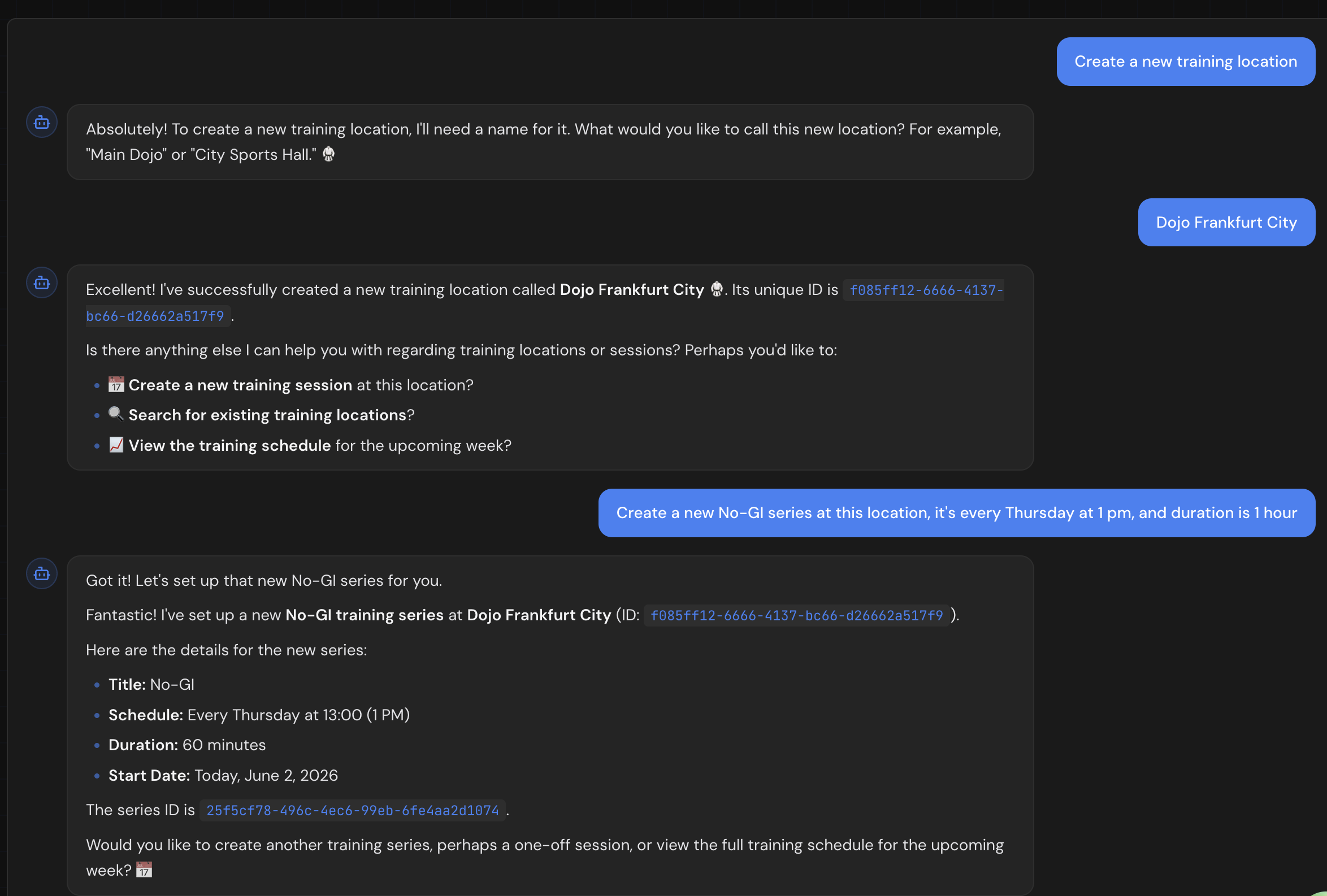
AI Companion — creating a training location and scheduling a No-Gi series in one conversation