Membership plans
Create and manage prices, payment methods, athlete-tier eligibility, signup fees, cancellation terms, and plan availability.
- 1
Create a membership plan
Open Membership Plans in the branch dashboard and choose New Plan. Give the plan a clear member-facing name and description, then set its billing interval. Plans belong to one branch and can be edited later.
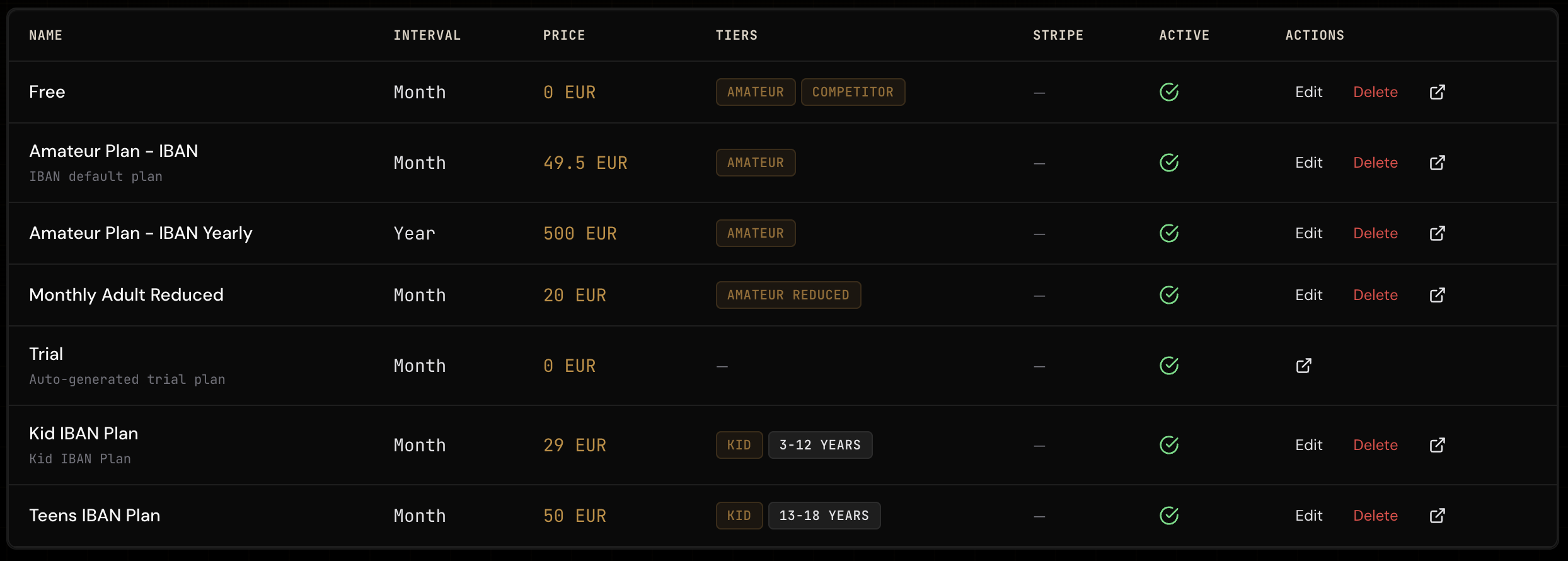
Membership Plans — active plans list with tier and age badges 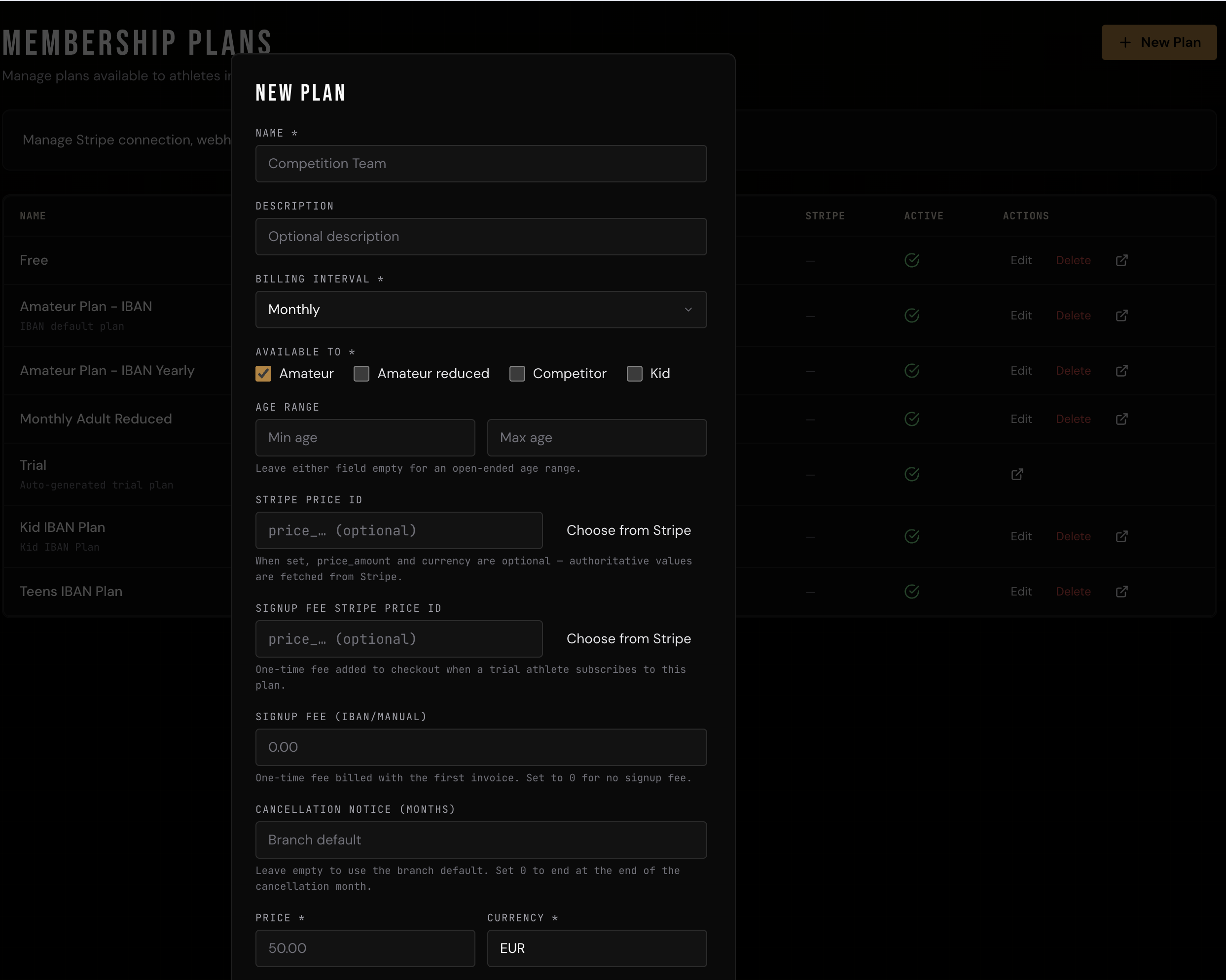
New Plan dialog — name, billing interval, tier eligibility, and pricing fields - 2
Set price and payment method
For manual or SEPA billing, enter the price and currency directly. For Stripe billing, link a Stripe Price ID. You can also configure a one-time signup fee, a cancellation-notice period, and an optional gear discount. See Stripe setup, SEPA direct debit, and billing calculations for the related payment flows.
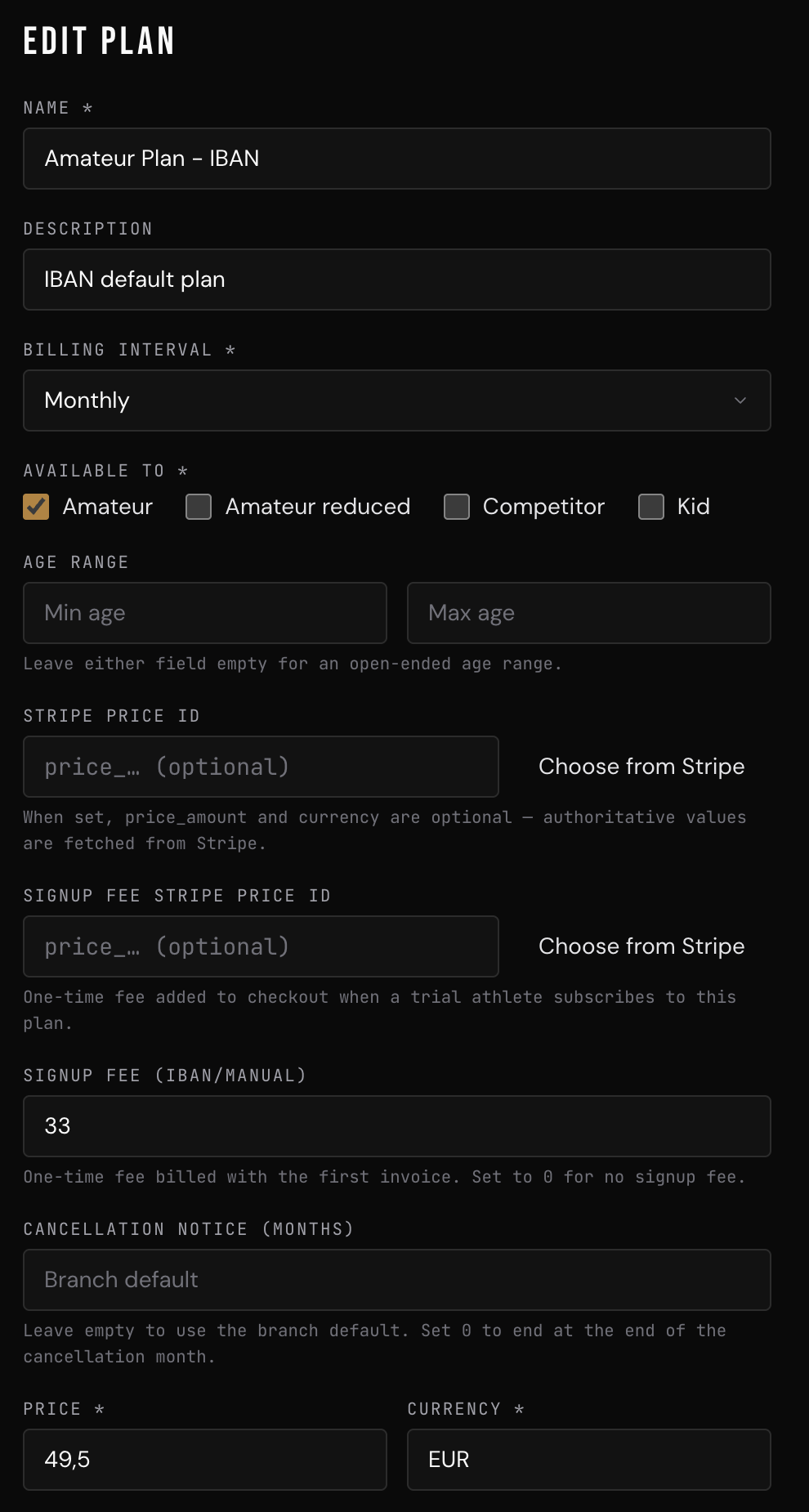
Edit Plan form — Stripe Price ID, signup fee, cancellation notice, price, and currency fields - 3
Choose tiers and ages
Select every athlete tier that may use the plan: Amateur, Amateur reduced, Competitor, or Kid. Plan eligibility is exact: a reduced athlete needs Amateur reduced selected, and an Amateur plan does not include reduced athletes unless both options are selected. You can also set an optional minimum and/or maximum age in full years, which works for every tier. A plan without tier or age restrictions is available to every tier and age.
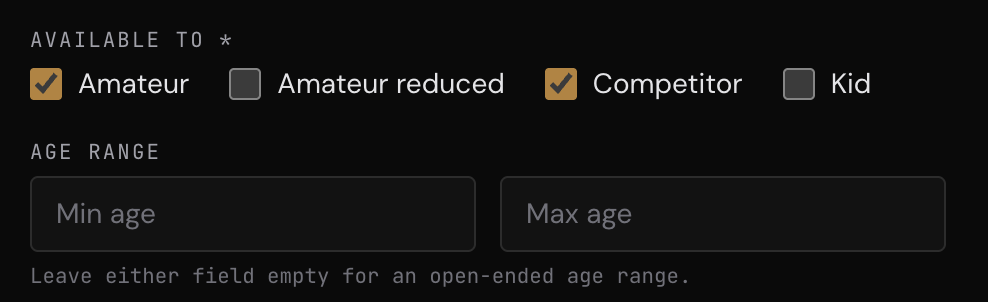
Available To and Age Range fields — Amateur and Competitor selected - 4
Understand training access
Membership-plan tiers and training restrictions are intentionally separate. Amateur reduced has the same training rights as Amateur, so an Amateur-restricted class admits both. Training schedules therefore show only Amateur, Competitor, and Kid restrictions—there is no separate reduced-rate training restriction.
- 5
Assign and change plans
Staff can set an athlete's tier and assign a matching plan from the athlete record. Athletes can only select or switch to plans enabled for their own tier and age. For a parent who also trains, the parent's tier and plan apply to the parent; each linked child's Kid tier, age, and plan are evaluated independently.
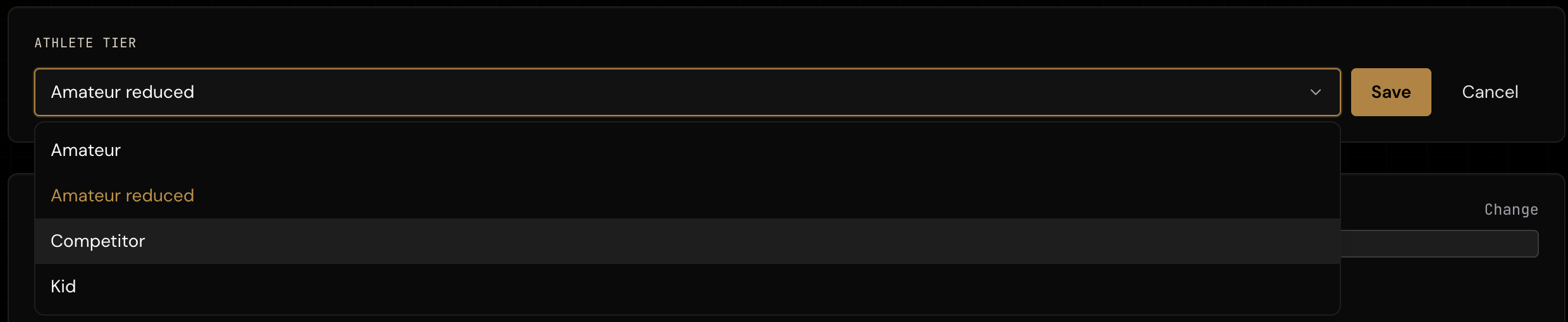
Athlete Tier selector — Amateur, Amateur reduced, Competitor, and Kid options 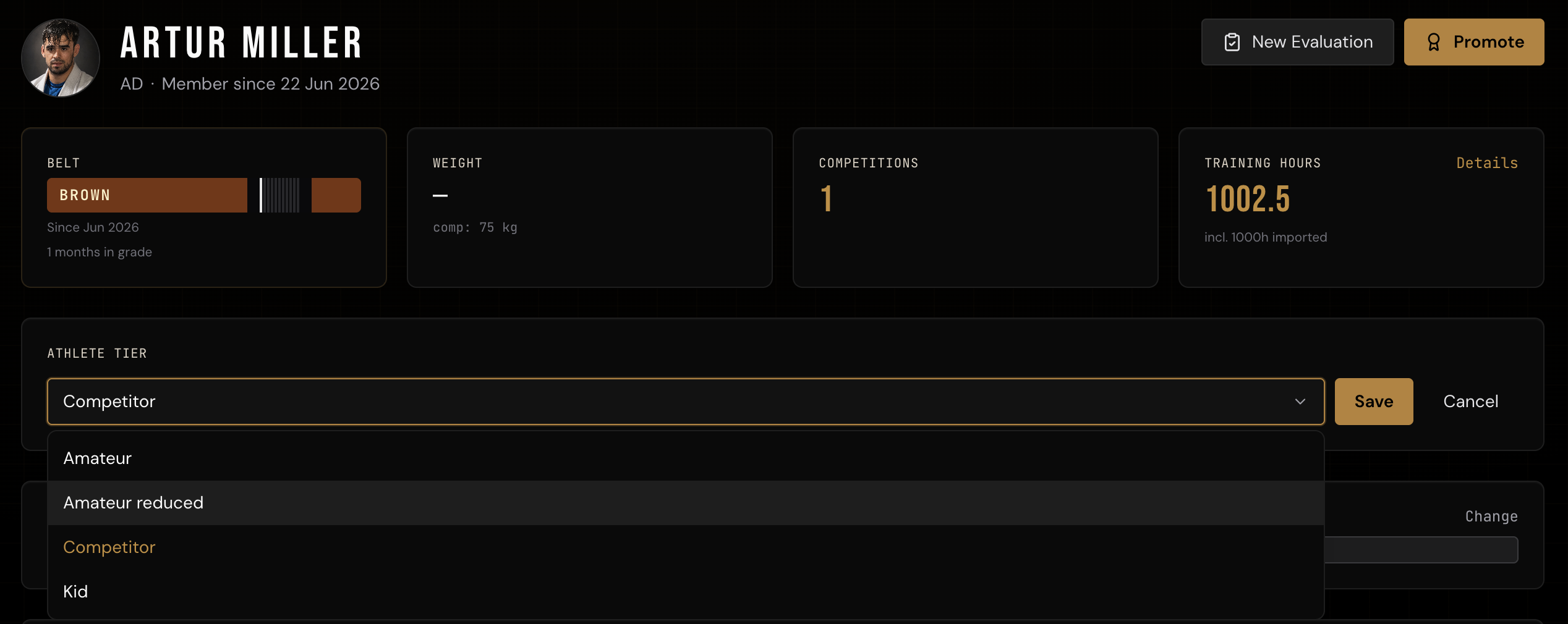
Athlete profile — changing the athlete tier before assigning a compatible plan - 6
Edit or deactivate safely
Editing a plan changes its future display and eligibility. Turning Active off hides it from new selection without deleting memberships already linked to it. Before changing prices, payment providers, or tier access, review current members on the plan and create a replacement plan when existing contract terms must remain unchanged.
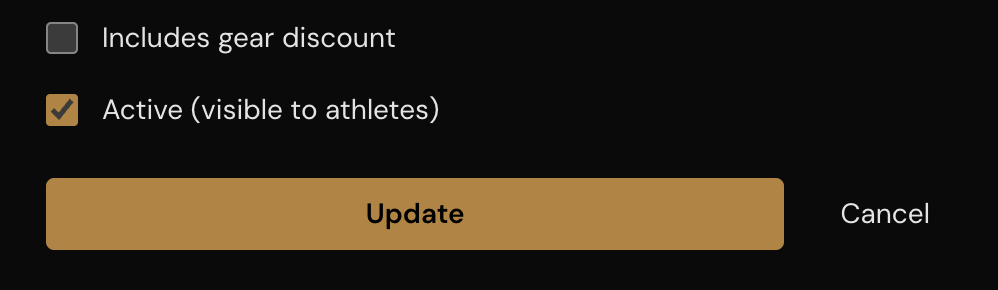
Edit Plan controls — Includes gear discount, Active toggle, Update, and Cancel - 7
Understand status, visibility, and billing
A person's branch role, branch relationship, membership status, and assigned plan are separate. For athlete-role members, the main Athletes roster shows active memberships; trial, suspended, inactive, or missing-plan records remain stored under Athletes → Trial & Pending, where you must select All to include every non-active state. Staff roles remain on the main roster.
Active and suspended memberships are considered by monthly membership billing. Suspension blocks attendance but does not pause billing by itself; an approved billing pause can reduce or skip the affected period, while inactive memberships are excluded. Branch administrators are excluded automatically, but coaches are not—a coach assigned a paid athlete plan can be billed, so assign the intended free coach plan where appropriate. Duplicate paid receipts or journal entries are not expected behavior and should be reported for review.