Signup fee clearance
Hold self-registered athletes inactive until their separate signup-fee payment is marked paid through easy clearing or full-bank reconciliation.
- 1
When to use signup fee clearance
Enable this flow when your gym collects the one-time signup fee outside CompTeam before the athlete is allowed to train, for example at reception by card, Bizum, or another bank-visible payment method.
When the setting is off, nothing changes: the normal billing run adds the signup fee to the first eligible membership invoice.
- 2
Configure the branch setting
Go to Branch Settings and enable Signup fee clearance.
Add payment instructions that tell the athlete exactly how to pay. These instructions are shown after registration while the athlete is waiting for activation.
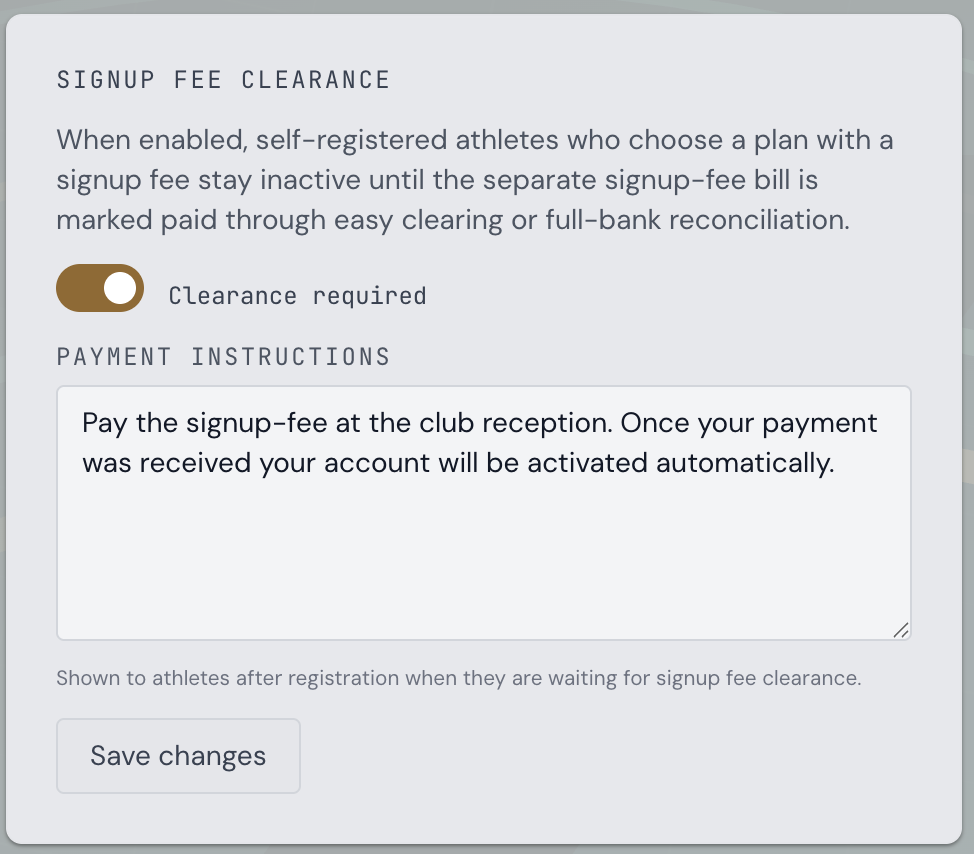
Branch Settings - Signup fee clearance toggle and payment instructions - 3
What happens during registration
When an athlete self-registers and selects a plan with a signup fee, CompTeam creates the account, keeps the branch membership pending, and creates a separate signup-fee billing document.
That separate document marks the signup fee as already charged for this signup cycle, so the regular monthly or yearly billing run does not add the same signup fee again.
- 4
Clear the payment
After the payment appears in the branch bank account, go to Billing and clear the signup-fee document using the clearing mode your branch uses.
With Easy clearing, open the signup-fee bill and mark it paid. With Full bank clearing, upload the bank statement CSV and let CompTeam match the payment; low-confidence matches still use the normal confirmation step.
As soon as the linked signup-fee document is marked paid, CompTeam automatically activates the membership.
- 5
Cancellation and renewal
If the athlete cancels later and then renews, the signup fee becomes due again.
At renewal time, CompTeam follows the branch setting that is active then: with clearance off, the regular billing run charges the signup fee; with clearance on, a new separate signup-fee document is created and activation waits for reconciliation.