Connect HighLevel after Purple Belt signup
What branch admins do after signup: recover the HighLevel password, connect from Leads, install Compteam, sync contacts, and send lead follow-ups.
HighLevel bundle- 1
Your HighLevel account
HighLevel is included with Purple Belt, but it is not always instant. After your Purple Belt subscription is active, Compteam creates a managed HighLevel sub-account for your branch and prepares the integration. This setup can take up to 1 week.
The HighLevel user is created under the branch admin email address. Use the same email address you use as the branch admin in Compteam.
For your first HighLevel login:
- Open https://app.gohighlevel.com.
- Use Forgot password or the password recovery option for the branch admin email address.
- Set your HighLevel password.
- Log in to HighLevel.
Keep Compteam and HighLevel logins separate. Your Compteam branch-admin login manages the club and the integration; your HighLevel login is for contacts, pipelines, campaigns, and follow-up.
- 2
Connect from the Leads page
After you can log in to HighLevel, open Compteam as a branch admin.
- Switch to Leads in Compteam.
- Click Connect HighLevel.
- Sign in to HighLevel if the browser asks you to.
- Confirm the Compteam-created HighLevel sub-account for your branch.
If you do not see the HighLevel integration card yet, contact Compteam support or reply to your onboarding email. We may still need to finish provisioning the managed sub-account for your branch.

Compteam Leads page showing the HighLevel connection banner and backfill buttons - 3
Install Compteam in HighLevel
HighLevel opens the Compteam app installation page. It is labeled Compteam and shows an Install button.
Follow the HighLevel instructions on that page:
- Choose the correct branch sub-account if HighLevel asks for one.
- Click Install.
- Approve the requested access.
- Wait until HighLevel sends you back to Compteam.
When the installation is complete, you return to the Leads page in Compteam and the connection banner should show the branch as connected.
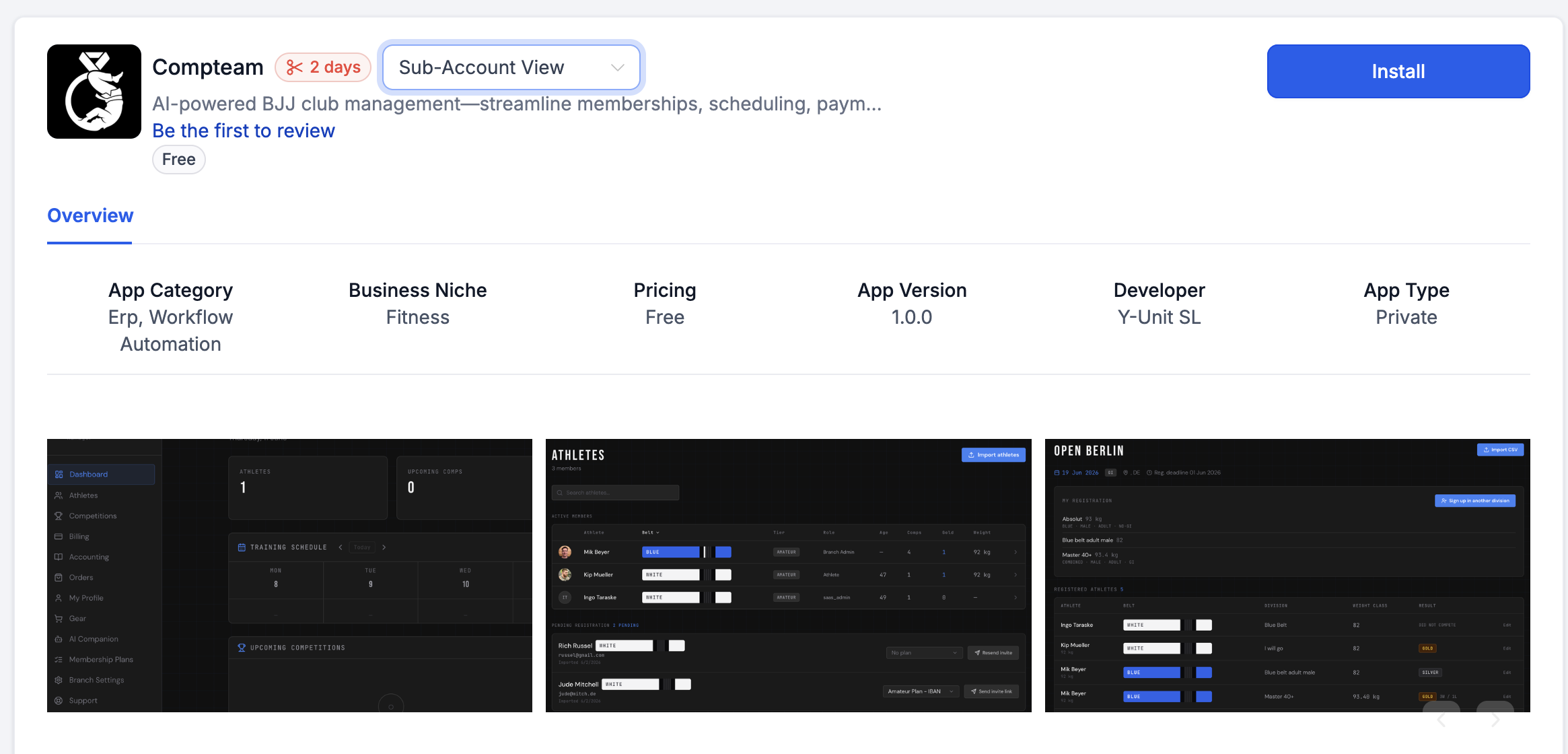
HighLevel marketplace page for the Compteam app with the Install button - 4
How contacts sync
Contacts are replicated from HighLevel to Compteam every 10 minutes.
To sync immediately, use the buttons on the Compteam Leads connection banner:
- Test sync checks the connection.
- Backfill 30 days imports recent contacts.
- Backfill 90 days imports a longer recent history.
- Backfill all imports all available HighLevel contacts for the connected account.
Use a backfill after the first installation if you already have contacts in HighLevel and do not want to wait for the next 10-minute sync window.
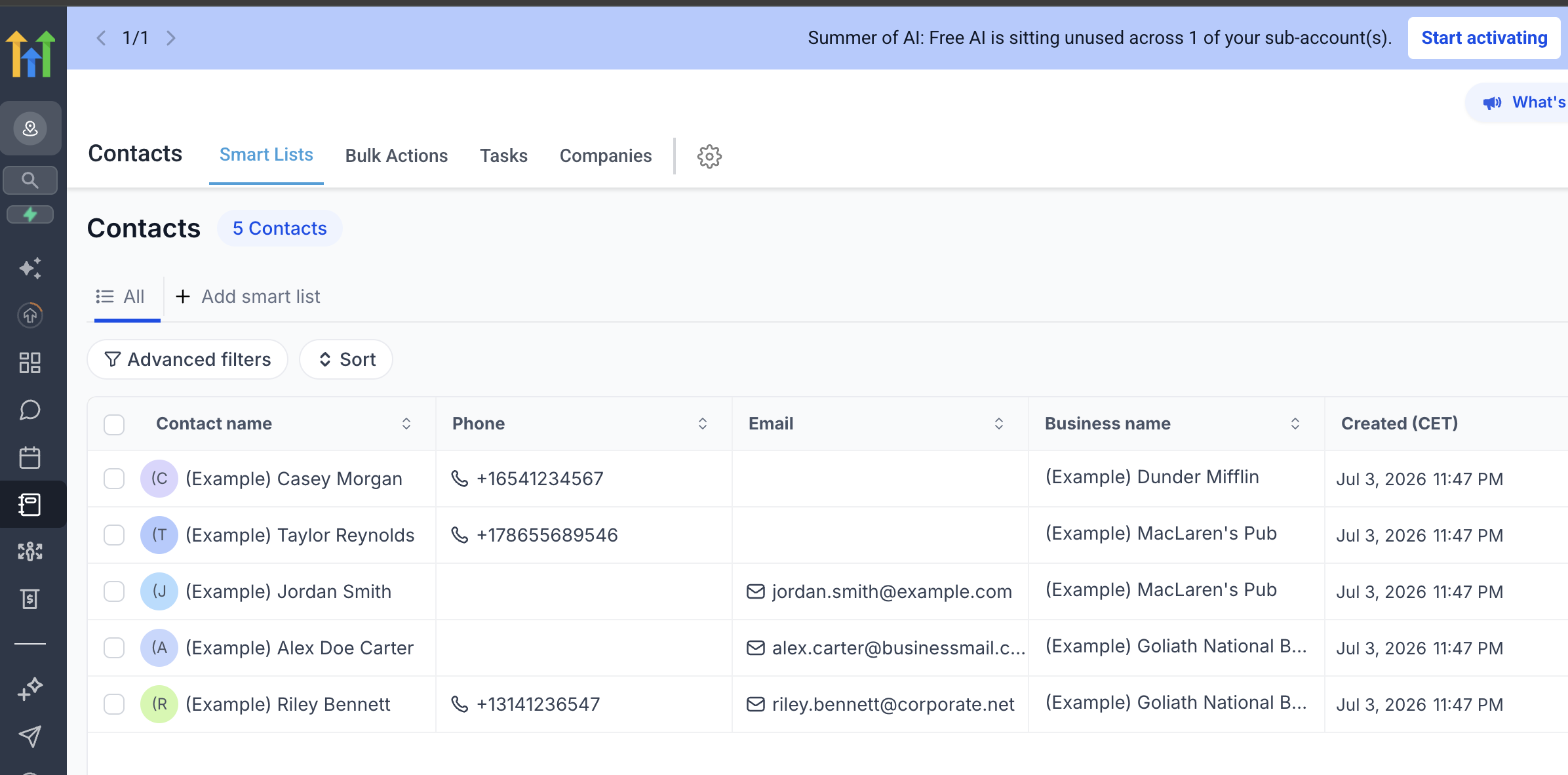
HighLevel Contacts page showing contacts that can be replicated into Compteam Leads - 5
Use lead sources and actions
Every lead in Compteam is marked by source:
- HighLevel - replicated from HighLevel contacts.
- Instagram - created from Instagram conversations.
- Manual - created directly in Compteam.
Branch admins can select one or more lead rows and send:
- Class schedule
- Training location
- Registration link
When the selected lead includes a HighLevel contact, HighLevel sends the message. This keeps HighLevel conversations and delivery history together while Compteam stays the place where the branch admin chooses the operational next step.
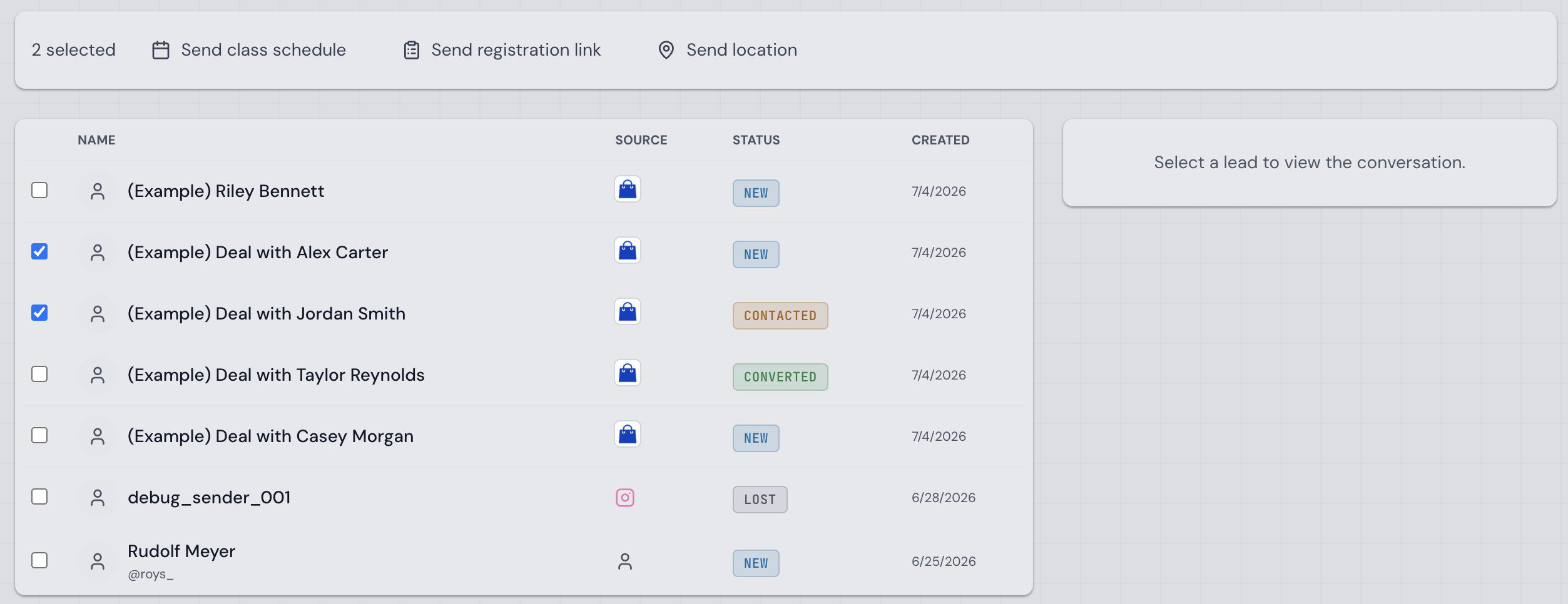
Compteam Leads page with selected leads and actions for class schedule, registration link, and location - 6
Troubleshooting for branch admins
If you cannot connect HighLevel:
- confirm your branch is active on Purple Belt
- open Compteam as a branch admin for that branch
- go to Leads
- confirm you are signing in to the Compteam-created HighLevel sub-account
- use Connect HighLevel and complete the HighLevel install page
- ask support whether the managed sub-account is ready for your branch
If leads do not appear in Compteam:
- confirm the lead exists in the Compteam-created HighLevel sub-account
- wait up to 10 minutes for the scheduled sync
- use Test sync or one of the Backfill buttons on Compteam → Leads
- send Compteam support the lead name, email, phone, and HighLevel contact details
If direct HighLevel sign-in does not work, open https://app.gohighlevel.com and recover the password for the branch admin email address. If that still fails, ask support to check the branch admin list and resend the HighLevel invite for the branch.