The cleanest way to run a competition team is to let athletes register for events themselves and keep their own win–loss record, so coaches stop chasing sign-ups and competitors own their progress.
Key takeaways
- Athlete self-registration removes the spreadsheet-and-group-chat scramble before every event.
- A competition entry should capture division, belt, weight, gender, age category, and gi/no-gi in one short form.
- Results belong in the athlete's profile as a running record — wins, losses, medals, and how each match was won.
- Coaches stay in control: they review entries and confirm results, but they no longer have to type everything in themselves.
- A visible record motivates competitors and gives coaches real data for seeding, matchmaking, and promotion decisions.
The Problem With Coach-Managed Sign-Ups
Most competition teams run registration the hard way. A coach posts the event in a group chat, athletes reply "I'm in" over three days, someone collates the names into a spreadsheet, and then the coach manually enters every division and weight category. By the time entries close, half the data is stale and two people have changed their mind.
This does not scale. A team of six is manageable; a team of forty competing across three events a month is not. The coach becomes a data-entry clerk, and the athletes — the people who actually know their own division and walk-around weight — are left out of the loop.
When athletes own the sign-up and coaches verify the result, the competition record stops being admin. It becomes part of training.
The fix is to flip the flow: let athletes register themselves.
Athlete Self-Registration, Done Right
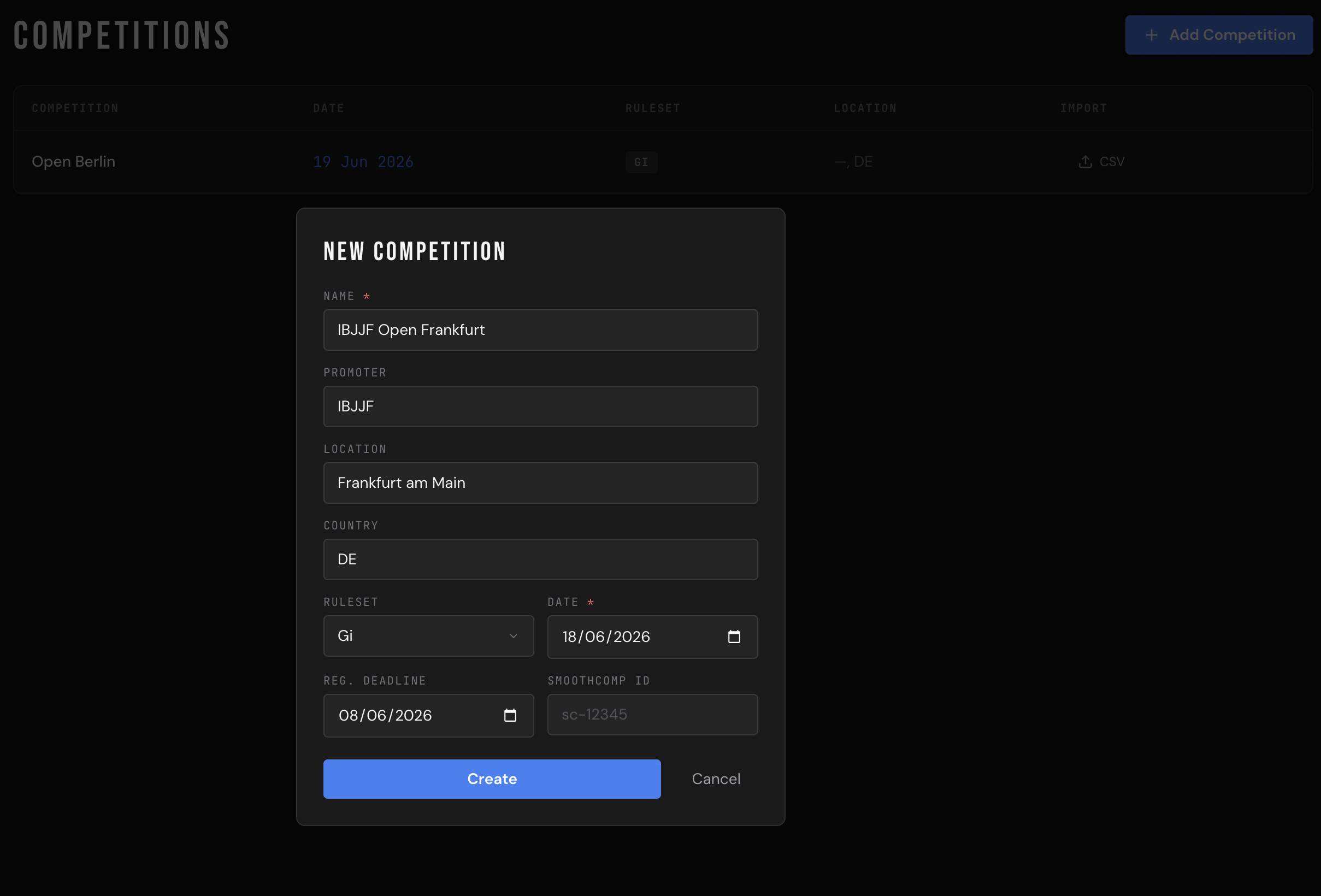
When an athlete opens a competition in CompTeam, they hit a single sign-up form. It asks for exactly what an entry needs and nothing more:
- Division — the bracket they're entering.
- Belt — white through black, or a combined division.
- Weight (kg) — their registered competition weight.
- Gender and age category — adult or kid, so the right bracket is applied.
- Gi or no-gi — the ruleset for the match.
- Notes — anything the coach should know, like a category change or a travel constraint.
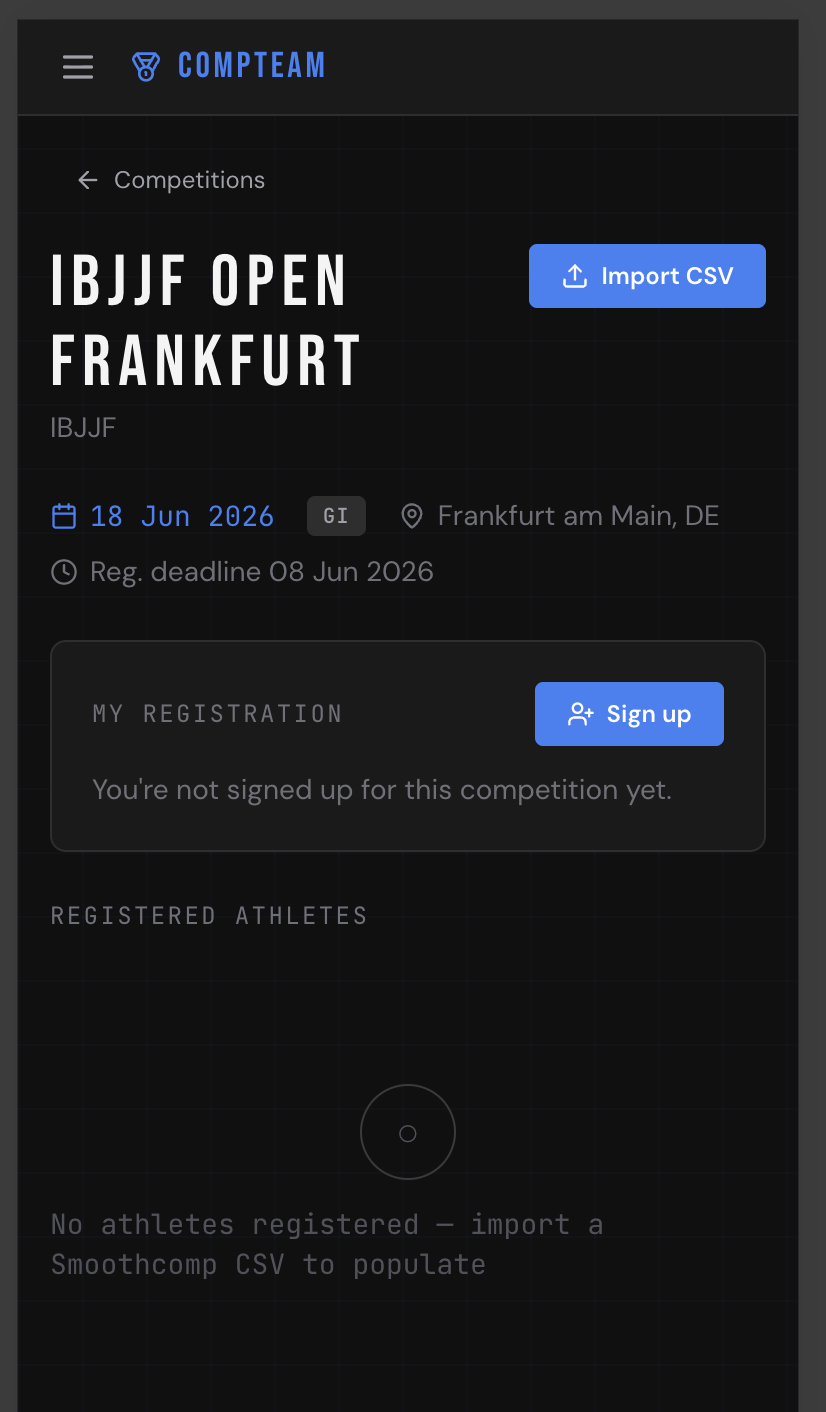
That's it. The athlete confirms, and the entry lands in the coach's list instantly. No transcription, no missed replies, no version-three-final spreadsheet.
The athlete knows the division, weight, and intent first. The system should let that truth enter once.
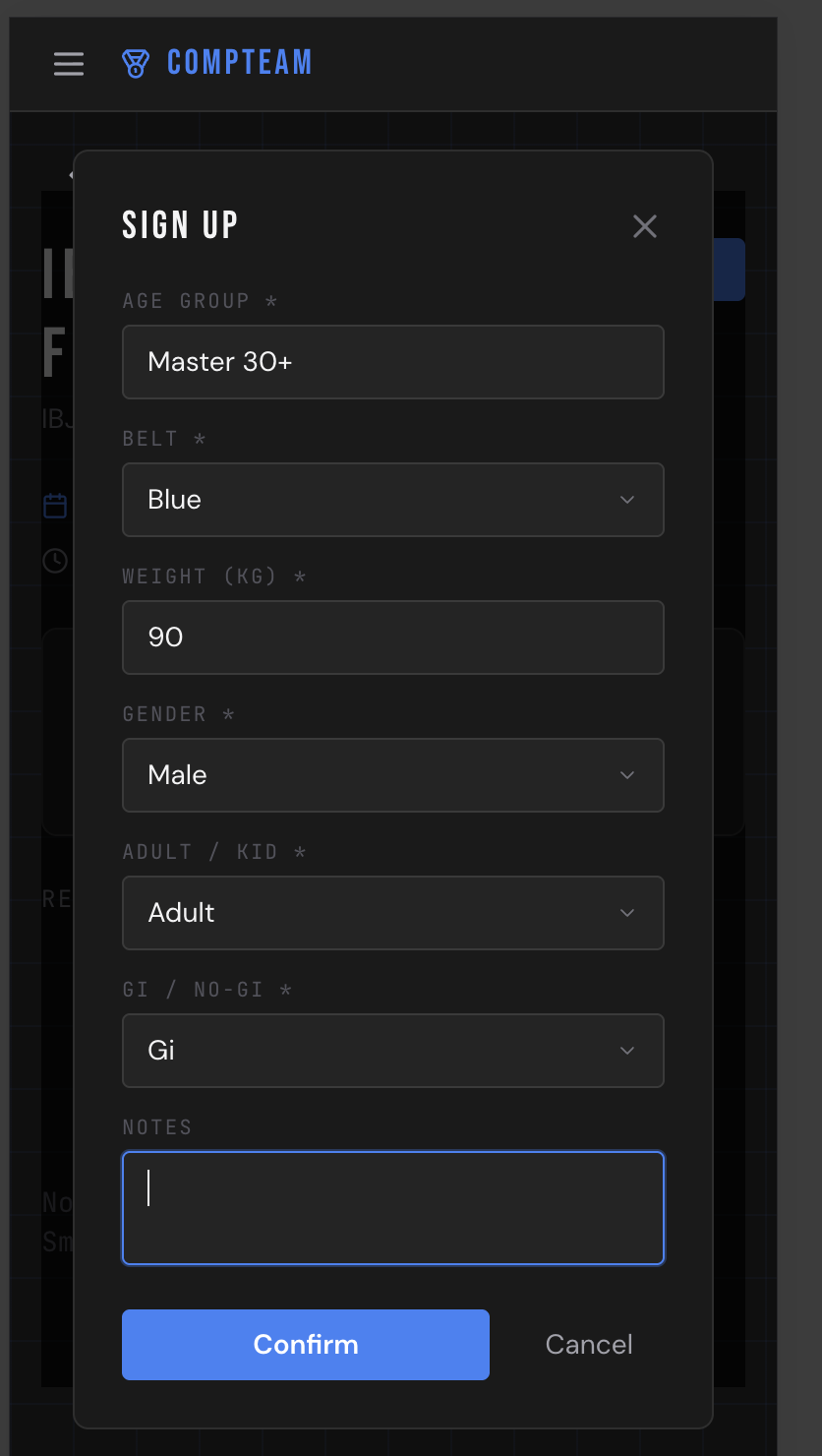
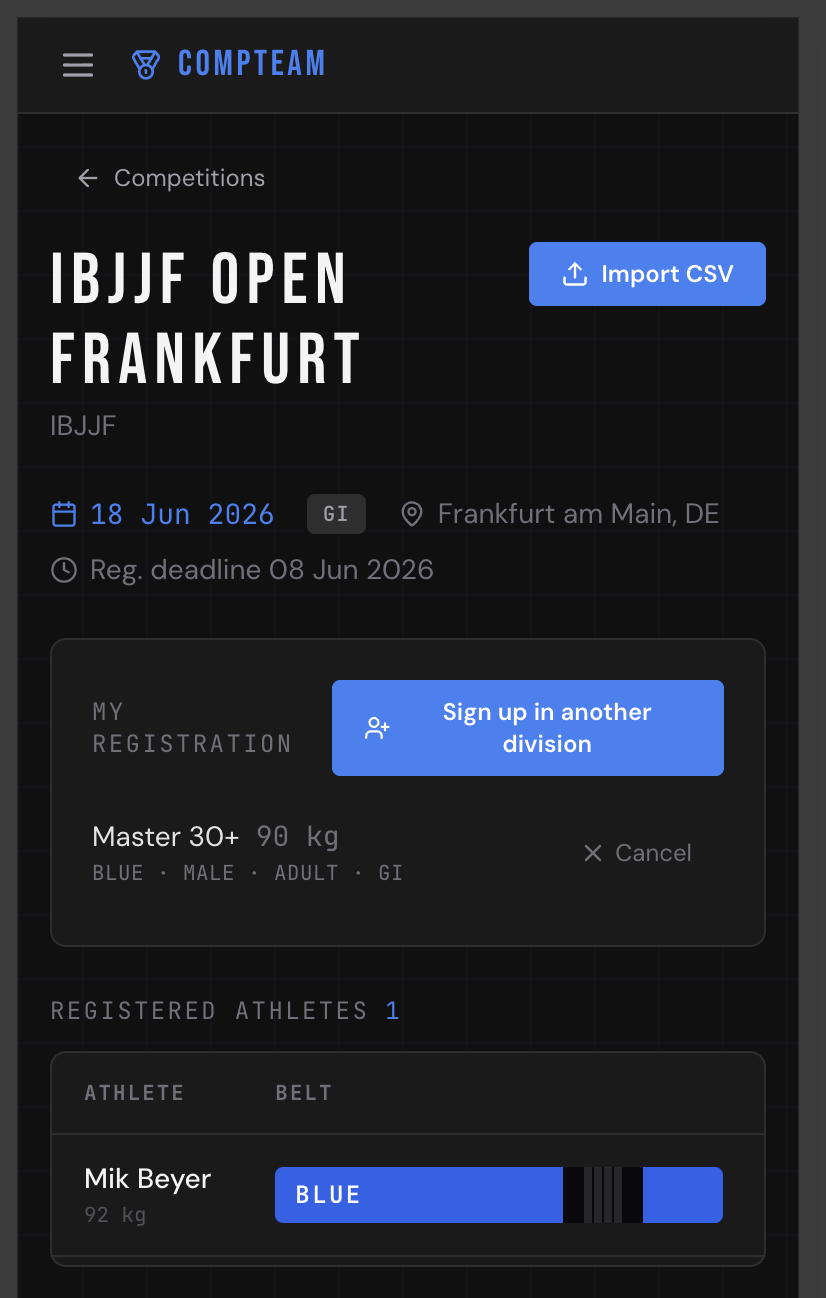
Because the athlete fills it in, the data is more accurate. They know their own belt and weight better than a coach reading a chat thread does. And the coach keeps oversight — every entry is visible in one place, ready to review, with the ability to cancel an entry if plans change.
Results Belong in the Athlete's Profile
Signing up is only half the story. The reason competition teams exist is to compete, and competing produces results worth keeping.
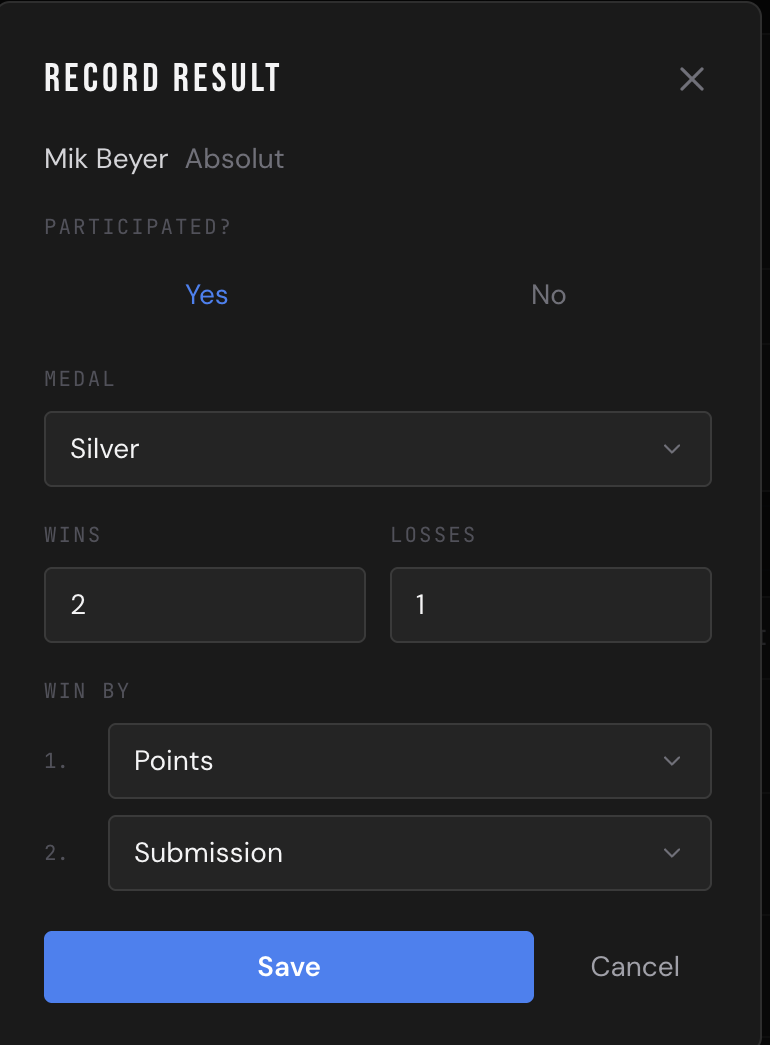
A good result record goes beyond a single medal. For each entry, CompTeam captures:
A medal tells you the podium. A real result record tells you what happened on the mat.
- Participated or withdrew — not everyone who signs up makes weight or shows up.
- Medal — gold, silver, bronze, or no placement.
- Wins and losses — the actual match count, not just the podium.
- Win method — submission, points, advantage, decision, or DQ.
That distinction matters. A competitor who goes 3–1 and loses the final on an advantage had a very different day than someone who lost their first match by submission — but a medal-only record makes them look similar. Tracking wins, losses, and method turns a result into a story you can actually coach from.
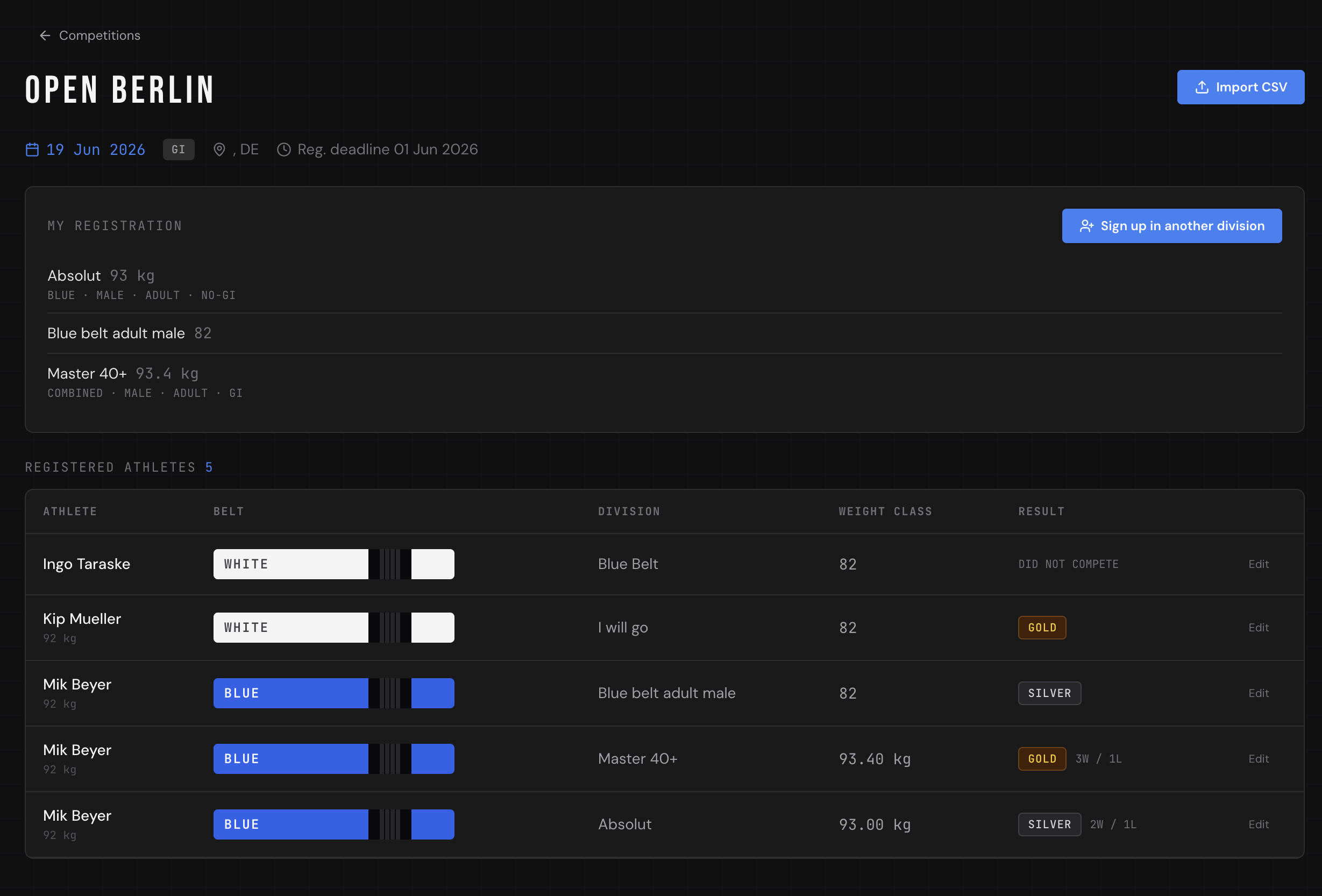
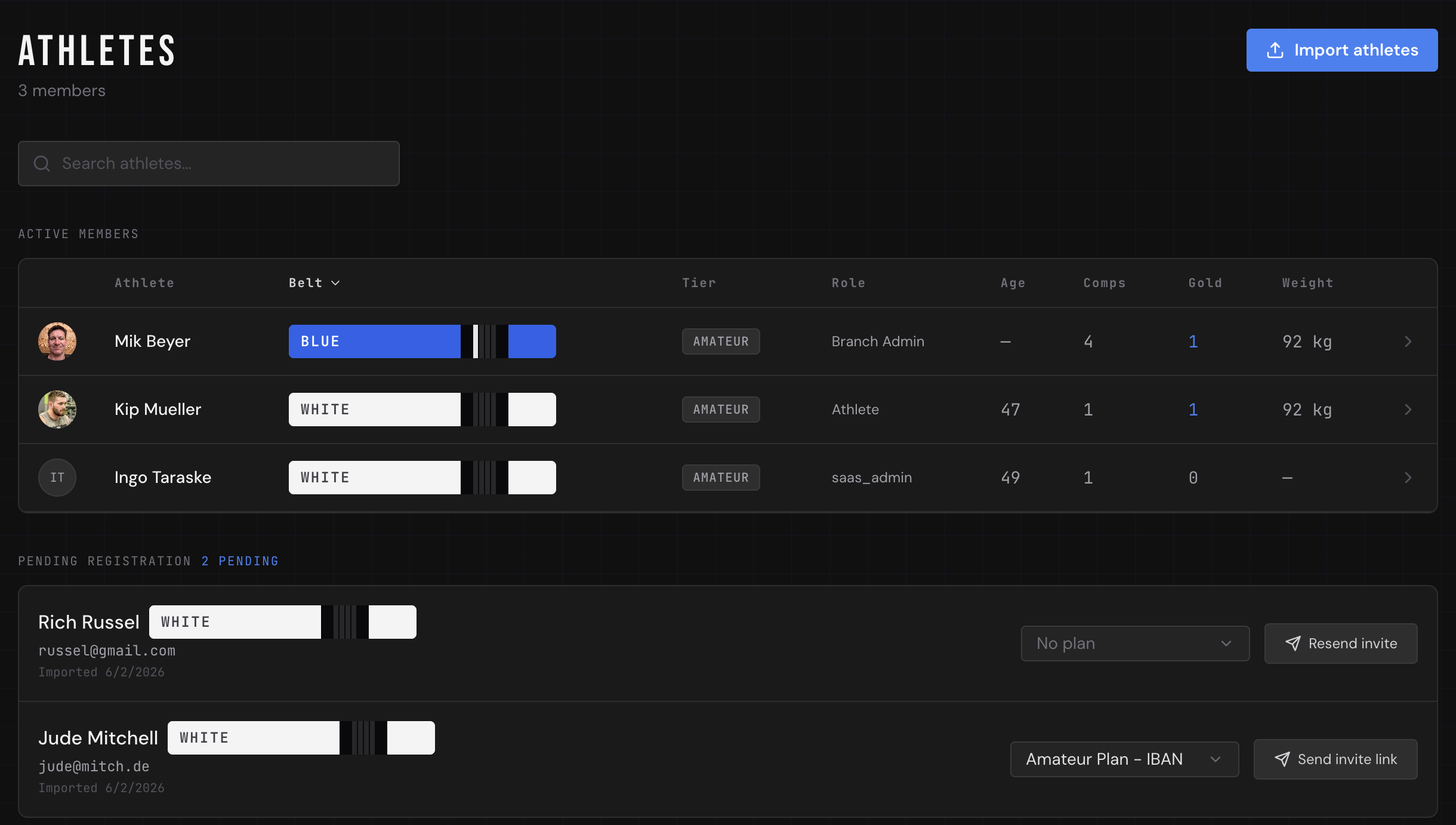
All of it rolls up into the athlete's profile as a running competition history. Over a season, that becomes a genuine performance record: how often they compete, how they tend to win, where they're getting stuck.
Who Records the Result?
Self-registration is the athlete's job. Recording the result is the coach's.
This split is deliberate. Sign-ups are low-stakes and the athlete owns the facts, so handing it to them saves everyone time. Results, though, feed promotion decisions and team stats, so they go through a coach or branch admin who confirms what actually happened. After an event, the coach opens each entry, marks whether the athlete competed, and records the medal along with the win–loss count and how the matches were won.
It takes seconds per athlete, and because the entries are already in the system from self-registration, there's nothing to re-type. The coach is confirming data, not creating it from scratch.
Why This Matters Beyond Convenience
Letting athletes register and surfacing their results in a profile isn't just an admin win. It changes the culture of a competition team.
Athletes get ownership. Seeing their own record — every event, every win, every medal — makes progress concrete. It's the same motivation loop as a stripe on the belt, but for the competition side of the sport.
Coaches get data. A win–loss record by method tells you who's ready to move up a division, who needs more matches, and who's winning on points but never finishing. That's far better input for seeding and promotion than memory and gut feel.
The team gets a record. When a returning athlete claims a competition history, or you're picking who to send to the next big event, the data is right there — timestamped, attributed, and consistent across every coach who uses the system.
A Simpler Competition Workflow
Put together, the flow is short and each step sits with the right person:
- A coach adds the competition.
- Athletes register themselves, entering their own division, belt, and weight.
- The coach reviews the entry list and cancels or adjusts as needed.
- After the event, the coach records each result — medal, wins, losses, and method.
- Every athlete's profile updates with their new competition history.
No spreadsheet, no group-chat archaeology, no single person typing in forty entries the night before a deadline. The athletes do the part they're best placed to do, the coach confirms the part that matters, and the record keeps itself.
That's the whole point of running a competition team on purpose-built software: less time on admin, more time on the mat, and a performance record that actually reflects what your athletes are doing when it counts.
Frequently asked questions
Can athletes register for competitions themselves?
Yes. With CompTeam, athletes open the event and complete a short sign-up form covering division, belt, weight, gender, age category, and gi/no-gi. The entry appears in the coach's list immediately, with no manual transcription required.
Who records competition results — the athlete or the coach?
Results are recorded by a coach or branch admin, not the athlete. This keeps the data that feeds promotion decisions and team statistics verified, while still letting athletes own the low-stakes part of the process: signing up.
What does a competition result record include?
Beyond a single medal, a result records whether the athlete participated, their placement (gold, silver, bronze, or none), their win and loss counts for the event, and how they won — submission, points, advantage, decision, or DQ.
Why track wins and losses instead of just medals?
A medal-only record hides how the day actually went. A 3–1 run that ends in a close final is very different from a first-round loss by submission. Tracking match counts and win method gives coaches real data for seeding, matchmaking, and promotions.
Where do an athlete's competition results show up?
Every recorded result rolls up into the athlete's profile as a running competition history, so both the athlete and their coaches can see how often they compete, how they tend to win, and where they're progressing over a season.