A BJJ kids program runs smoothly when underage students have managed profiles, guardians sign their own consent and SEPA mandate, and coaches never have to chase a permission slip the morning of a competition.
Key takeaways
- Kids don't need a login. A managed profile lets a coach run a junior class roster without collecting email addresses from minors.
- Guardians give a one-time general training consent and then confirm attendance to individual sessions for each kid, right from the weekly schedule.
- Every competition entry for a kid starts as awaiting consent — it is never a confirmed registration until a guardian approves it.
- Guardians choose and change each kid's membership plan, and enter and maintain the kid's IBAN and SEPA mandate themselves, so coaches never touch a child's banking details.
- Tracking consent, attendance, membership, and billing in one system keeps the whole junior program GDPR-compliant by default.
Why kids need to be handled differently
A junior BJJ program is one of the best things a gym can build — and one of the most awkward to administer. The students are minors, so you can't ask them to register an account, sign a mandate, or approve their own competition entry. Every meaningful decision sits with a parent or legal guardian who probably isn't in the building when you need them.
The usual workaround is paper: a stack of signed waivers, a WhatsApp group for consent, and a spreadsheet of which parent pays for whom. It works until a kid is double-booked, a waiver goes missing, or a payment bounces and nobody is sure whose card was on file. None of that is a coaching problem — it's a tooling problem.
Managed profiles: a roster without logins
The starting point is the managed profile. A kid gets a full athlete record — belt, stripes, attendance, membership — but no auth account and no login. Email is optional; if you don't have one, the system generates an internal placeholder so the profile is still valid.
You can create kids in bulk with an is_kid column in your import file, or flip an existing pending athlete to the Kid tier from their profile. Either way they show up in the roster with a green Kid badge, and kids-only training sessions automatically hide themselves from adult members' schedules.
The smoothest kids programs give guardians control of consent and billing while coaches keep their attention on the mat.
Linking a guardian
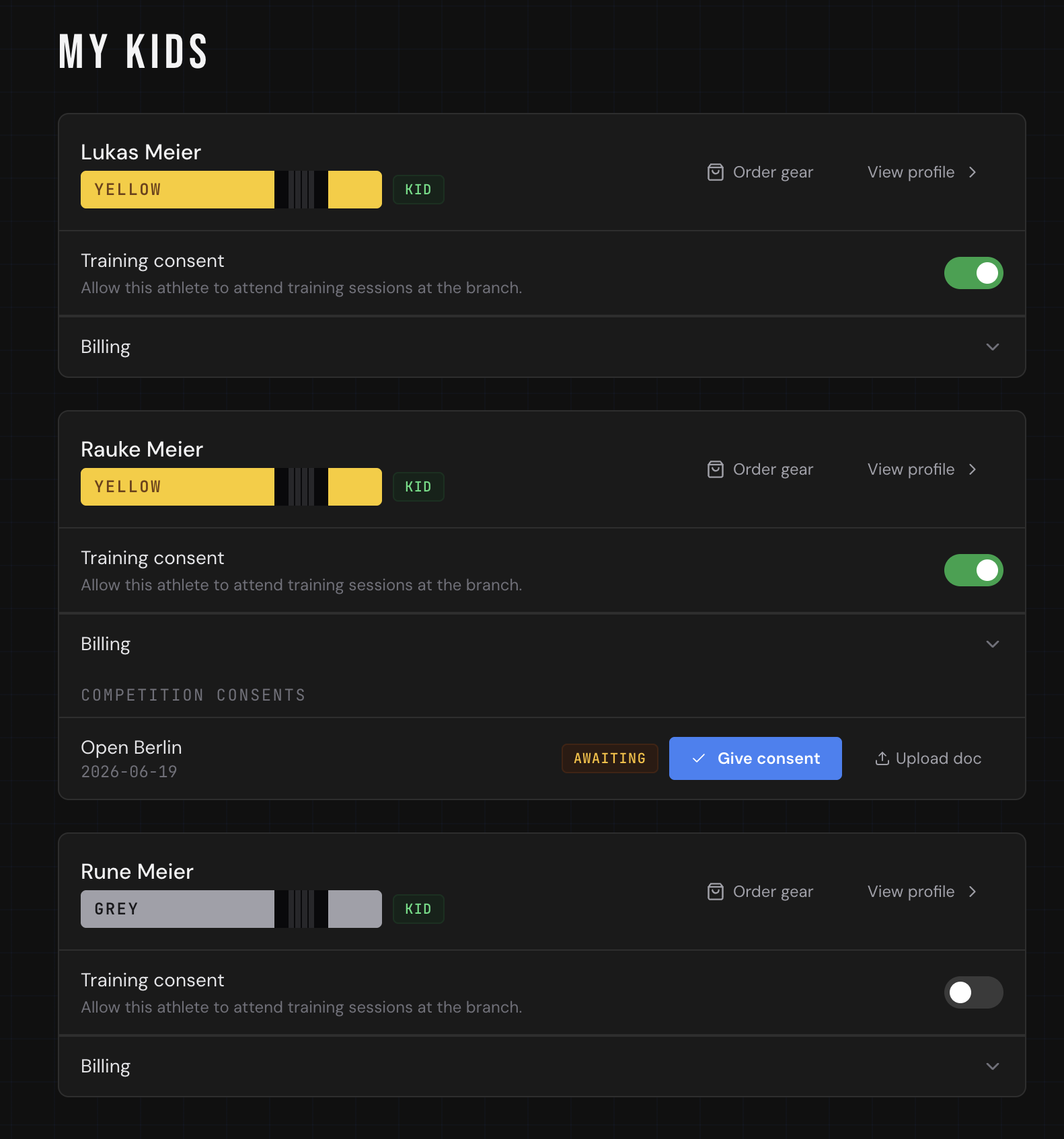
A managed profile becomes useful once it's linked to a guardian. From the kid's profile, you enter the guardian's email and their relationship — parent or legal guardian. If they already have an account, the link is instant; if not, they get an invite to register and accept.
Once linked, the guardian sees a My Kids area after logging in. That single page is where they do everything on the child's behalf: give training consent, confirm attendance, review competition consents, choose the membership, and maintain billing. A guardian can also be a paying athlete at the same gym — their own training and entries stay completely separate from the kids they manage.
A guardian portal works best when every parent action leaves a clear timestamped record.
Training consent and attendance, by the parent
Before a kid steps on the mat, the guardian flips one general training consent toggle on the My Kids page. It's recorded with a timestamp, and branches can use it as the gate that clears a child to train at all — separate from any per-competition approval.
Attendance works the same way. Because kids have no login, the guardian confirms it for them: on the weekly schedule they tap Attend on a session and get a checkbox list of their kids, ticking whoever is coming. If the guardian also trains at the gym, the same picker offers a "(me)" row so they can mark their own attendance in the same step. Coaches then see each kid in the session's check-in panel exactly like any other athlete.
Membership the guardian controls
Guardians don't wait for an admin to assign a plan. On My Kids, each child's Membership section lists every plan available to kids; the guardian subscribes, switches plans, or cancels — all collected through the SEPA mandate they maintain for that child. Stripe-backed plans route the parent through checkout; manual plans activate immediately.
Competition consent that can't be skipped
Here's the part that saves coaches the most stress. When you register a kid for a competition, you do it on their behalf from the competition page — Register an athlete, pick the kid, fill in division, belt, weight, and gi/no-gi.
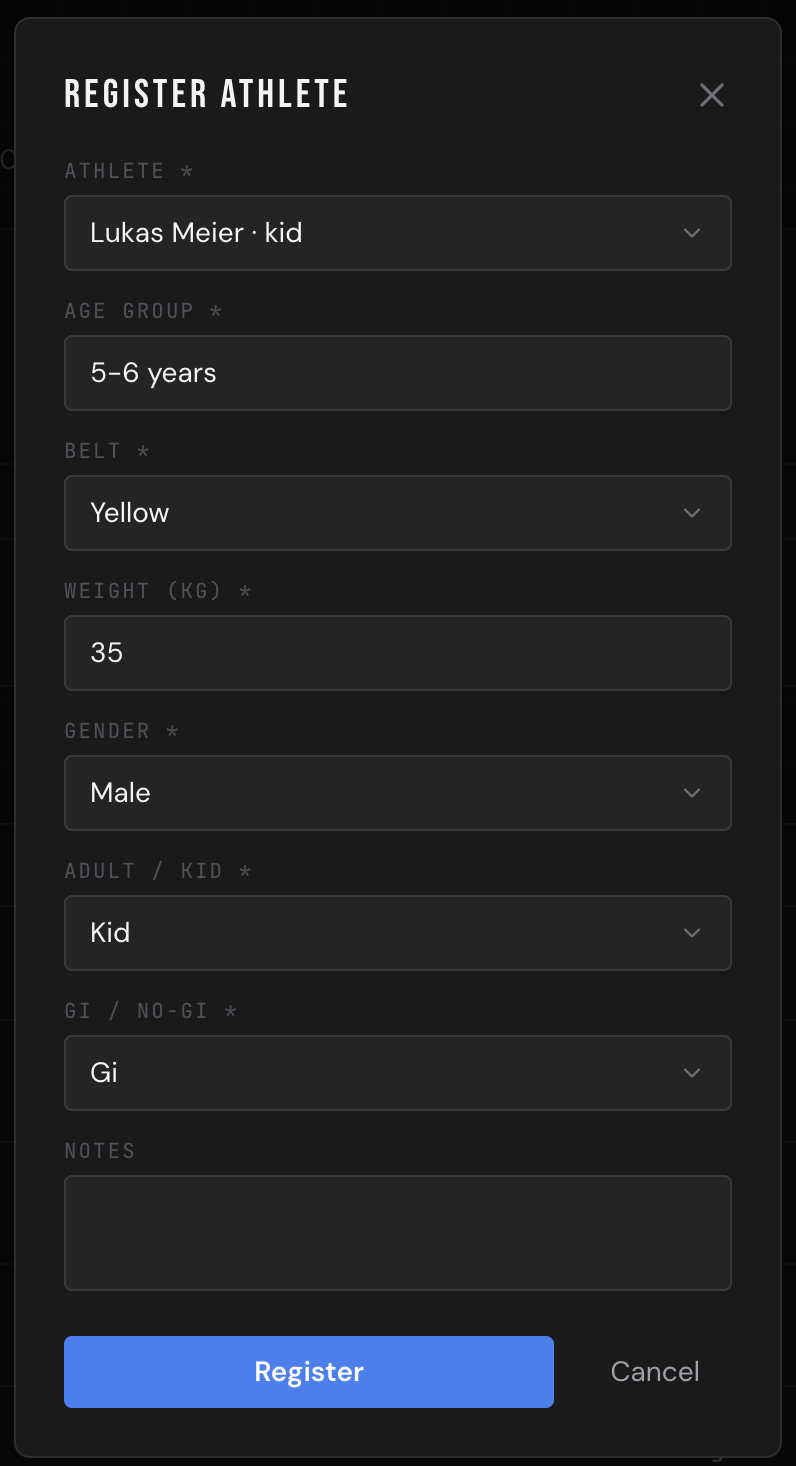
The entry is created as awaiting consent, not confirmed. The system emails every linked guardian a direct link to a page showing the event details, where they approve (and optionally upload a signed document). The competition roster shows a clear status badge against each kid:
The roster is not ready when a kid is added. It is ready when the guardian has approved the entry.
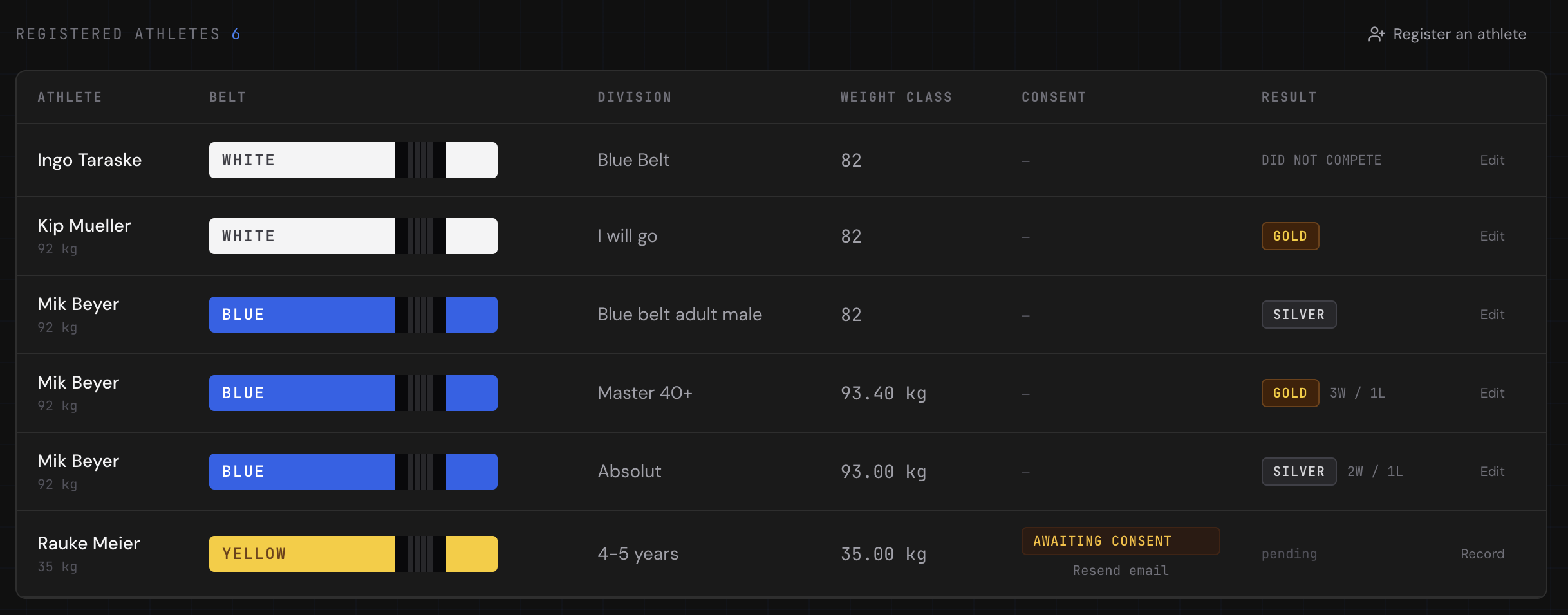
- 🟡 Awaiting consent — email sent, no response yet
- ✅ Consent given — guardian approved
- 🔴 Revoked — guardian withdrew approval


If a link expires, you resend it in one click. Guardians can also give or withdraw consent from their My Kids page at any time. Each approval is captured as a timestamped e-signature — the guardian types their full name to sign, alongside an optional document upload. The result: no kid steps onto the mat at an event without a recorded, auditable approval from their guardian.
Billing the guardian, not the child
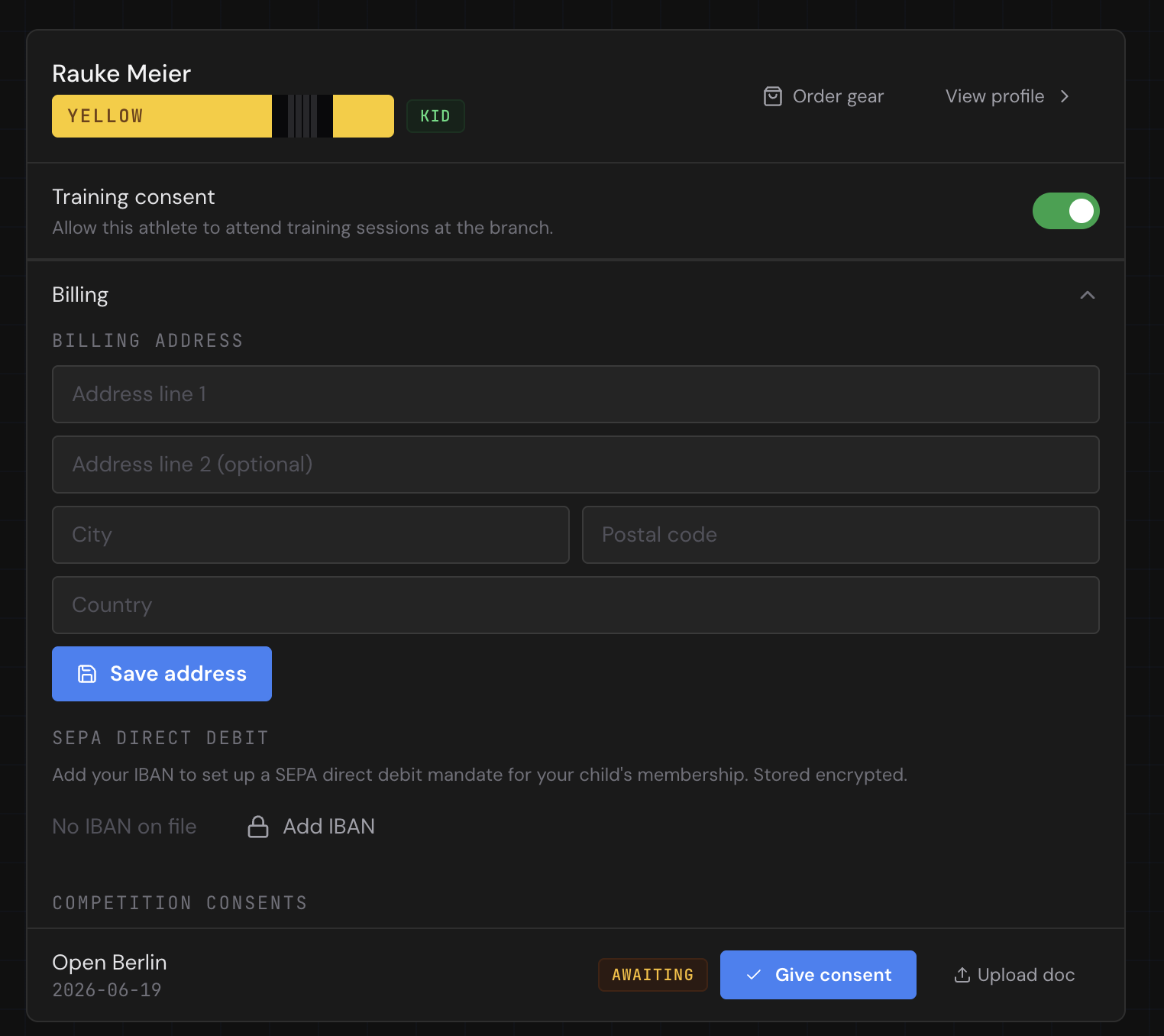
Kids don't have bank accounts, so the guardian signs the SEPA mandate. From the billing section on My Kids, the guardian enters the account holder name, IBAN, and billing address. The IBAN is validated on save and stored in an encrypted vault — the gym never sees the raw number — and the system generates a SEPA mandate reference with a signed date.
That one mandate then covers the kid's membership plan and any other branch charges, collected from the guardian's account. The guardian can update or revoke it themselves, which keeps you out of the loop on sensitive financial data entirely.
Compliance comes for free
Because consent, billing, and attendance all live in one system with role-based access, the things regulators care about — who approved what, when, and on whose authority — are recorded automatically. There's no separate waiver binder to audit and no risk of an adult coach holding a child's bank details in a spreadsheet. For an EU gym handling minors' data, that's not a nice-to-have; it's the baseline.
Build the kids program your gym deserves — and let the parents handle the parts that are theirs to handle.